Solutions · AI

The Backend Your AI Already Knows How to Use

Two ways in: a coding agent runs the Norbix CLI, a chat app calls the MCP server every Norbix installation already is. Both act with exactly the roles you pick — and build, configure, and run a production backend through conversation.

Two ways in

How an AI tool reaches your backend

A coding agent has a shell, so it runs the Norbix CLI. A chat app has none, so it calls the MCP server every Norbix installation already is. Both act as an AI service user with exactly the roles you pick.

Coding agents
have a shell
Claude CodeCodexCursorGemini CLICoworkVS CodeWindsurf
Chat apps
no shell
ClaudeChatGPTGemini
CLI Norbix CLI
Recommended for coding agents
norbix login → norbix ai init → norbix … --json
  • ▸Signs in in your browser. You pick the roles, press Allow.
  • ▸One JSON answer per command — small context, every endpoint.
  • ▸--dry-run first, --yes only for destructive changes. Same commands in CI.
MCP MCP server
For chat apps
https://hub.norbix.ai/v3/account/mcp
  • ▸Hosted by every Norbix installation — nothing to install or run.
  • ▸OAuth in the browser: a consent screen with the roles, then Allow.
  • ▸400+ described tools, marked read or change; risky ones ask first.
Your Norbix backend
managed, self-hosted or enterprise
The tool acts as an AI service user — never as you — with the roles you picked. Nothing more.
DatabaseMembershipFilesEmail · Push · SMSPaymentsSchedulerCodeLogs
●Every call shows up in Logs.
●Sign a tool out in Cloud: Account → AI service users → Remove.

Copy-paste setup for every tool on Integrations.

From the agent to a real product.

See how ChatGPT helped build MotoSkelbimai and Claude Code helped rehearse Happy Tummy’s backend migration.

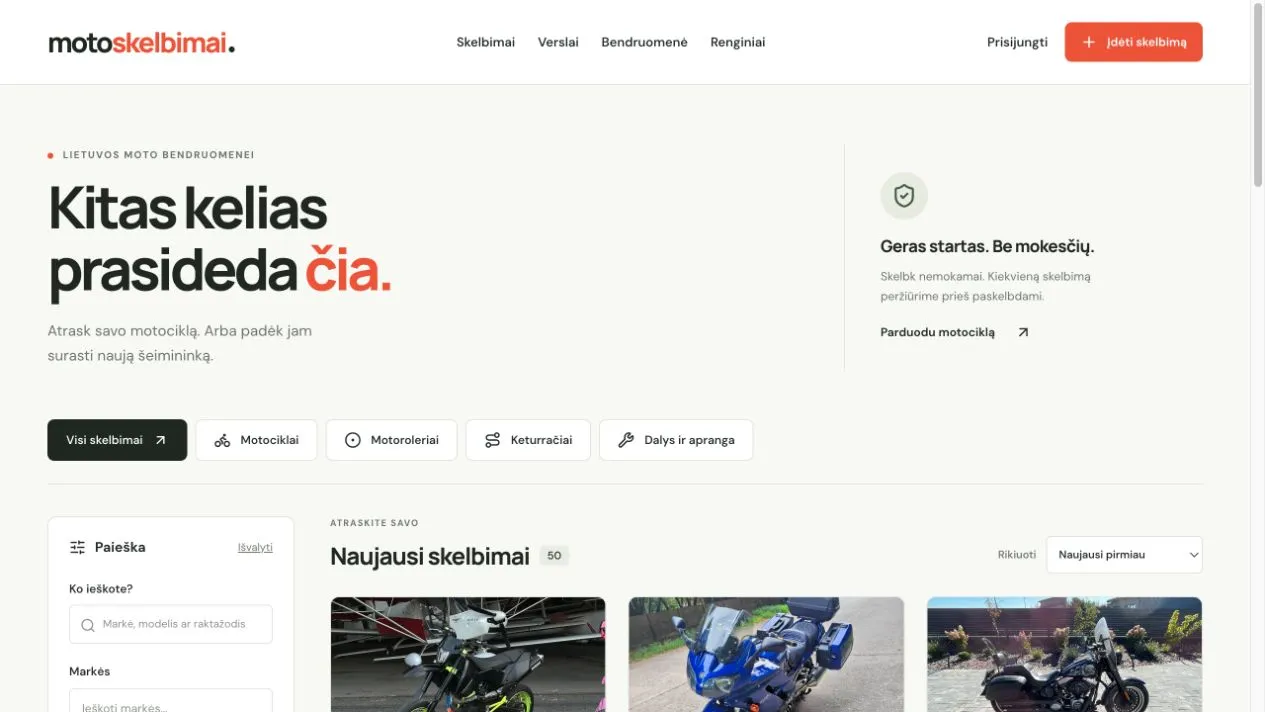
The real MotoSkelbimai marketplace with motorcycle categories, filters and published listings

Marketplace · Web app Working public portal

MotoSkelbimai

See how a motorcycle marketplace uses Norbix for searchable data, seller accounts, moderation and its email engine—with ChatGPT helping build the custom website.

ChatGPT + Norbix CLI

See the modules behind it
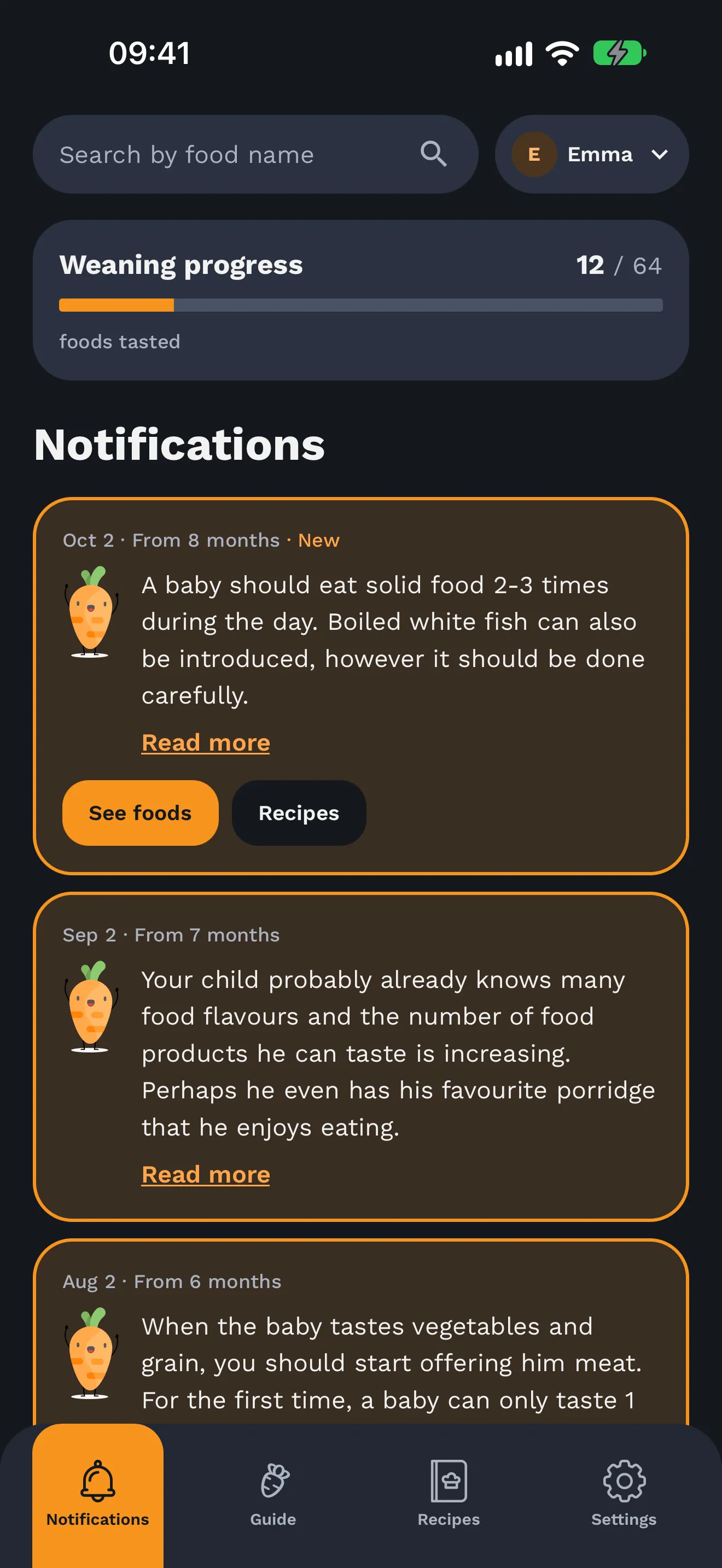
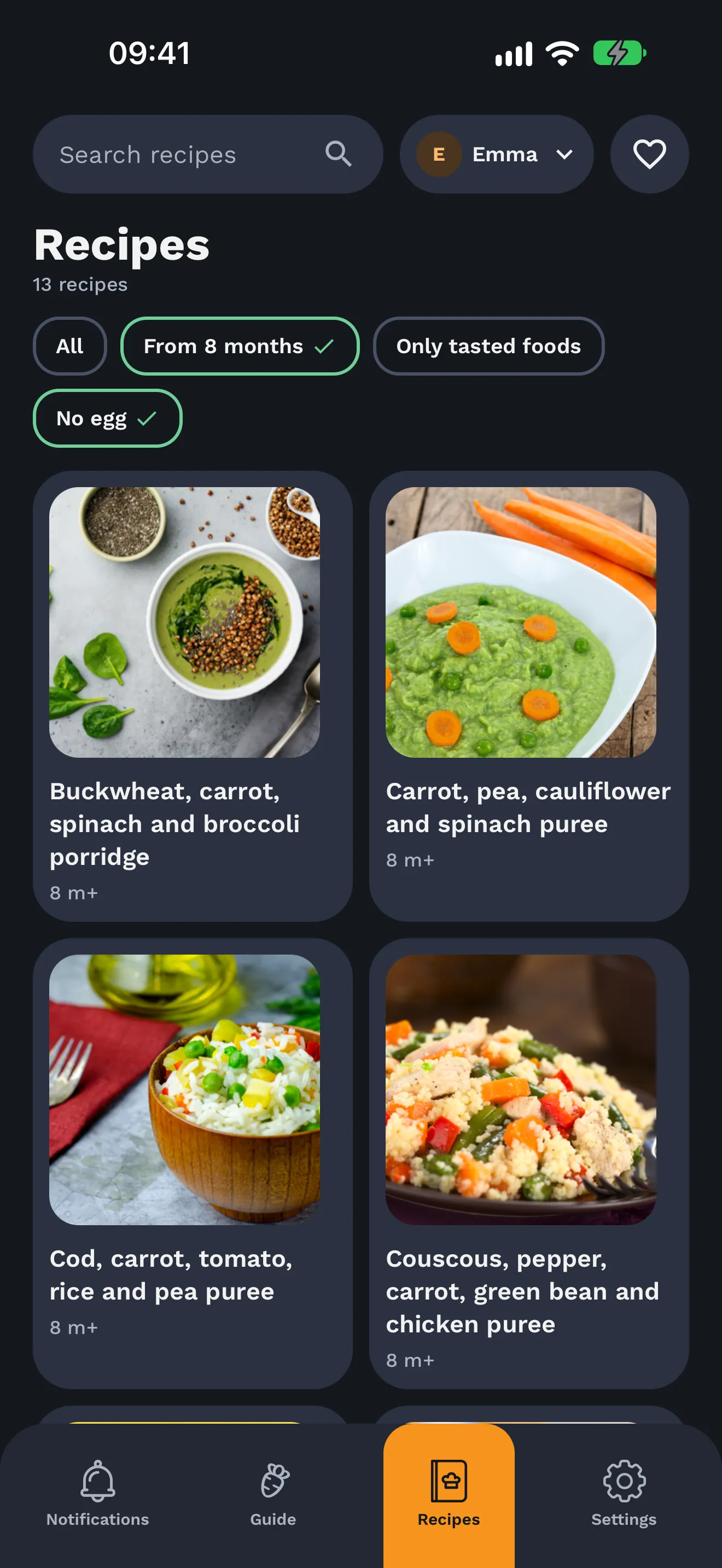
Happy Tummy’s English app with age-based guidance and a sample family’s tasting progress Happy Tummy first-food guide

Parenting · Mobile app Migration tested in TEST

Happy Tummy

How a small team is bringing an existing parenting app to Norbix—preserving accounts, sharing content across three languages and reusing backend tools instead of building them.

Claude Code + Norbix CLI

See the modules behind it

Tools for building with AI

Pick your tool. See how it builds on Norbix.

🤖

Claude Code

AI Coding Agent

Tell Claude what you need. Get a production backend.

Claude Code signs in once with the Norbix CLI (norbix login, norbix ai init), then scaffolds schemas, configures auth, wires events, and deploys modules — through conversation, one JSON answer per command.

View integration
🧩

Codex

AI Coding Agent

Codex reads AGENTS.md. Norbix writes it.

norbix ai init --target agents puts the Norbix block into AGENTS.md. Codex then runs norbix commands against your backend — or connects to the hosted MCP server with codex mcp login.

View integration
⚡

Cursor

AI Code Editor

Build your backend without leaving your editor.

The Norbix CLI writes a rules file for Cursor's agent; the hosted MCP server works too. Ask it to set up your database, configure payments, or wire a signup flow — it scaffolds production-ready code against real modules.

View integration
🏄

Windsurf

AI Code Editor

From prompt to production in one session.

Windsurf's Cascade reaches Norbix through the hosted MCP server, or runs the Norbix CLI from its terminal. Auth, database, email — configured and deployed through conversational coding.

View integration
💬

Claude

Chat App

Your backend as a connector, everywhere Claude runs.

claude.ai, Claude Desktop and Cowork share one custom connector pointed at the hosted MCP server. Sign in with OAuth, pick the roles, and talk to your backend in any chat.

View integration
🗨️

ChatGPT

Chat App

ChatGPT asks, your backend answers.

Add a connector with the MCP address and OAuth. ChatGPT opens Cloud's consent screen, you pick the roles — for example Viewer on one project — and press Allow.

View integration
🦀

OpenClaw

Open-Source AI Agent

Open-source agents. Production-grade backends.

OpenClaw agents use Norbix as their action layer — scaffolding backend infrastructure, managing data, and triggering workflows without proprietary lock-in.

View integration
🔗

n8n

Workflow Automation

Automate anything. Norbix handles the backend.

n8n calls Norbix from an HTTP Request node with a service-user key, and Norbix webhooks start n8n workflows on signups, payments, or any event. Automations that read and write to your production backend.

View integration
🧠

LangGraph

AI Agent Framework

Stateful AI agents with a real backend.

LangGraph agents treat Norbix as a first-class tool — querying databases, creating users, sending emails, and processing payments in multi-step agent workflows.

View integration
⛓️

LangChain

LLM Framework

Chain LLM calls to production backend actions.

LangChain tools connect directly to Norbix modules. Your LLM pipeline can create records, trigger emails, check permissions, and manage files — against a real, secure backend.

View integration
👥

CrewAI

Multi-Agent Framework

Give your AI crew a real backend to work with.

CrewAI agent teams use Norbix as their shared action layer. One agent handles data, another manages payments, a third sends notifications — all against the same backend.

View integration
✨

Fizzy

AI Development Tool

Rapid prototyping meets production infrastructure.

Fizzy's fast iteration paired with Norbix means your prototypes aren't throwaway — they're built on production modules from the start.

View integration

Why AI Tools Build Better on Norbix

What makes Norbix different from letting your AI generate a backend from scratch.

🛡️

Production-Grade, Not Prototype-Grade

AI-generated backends are fragile — no auth model, no audit trail, no event system. Norbix enforces security and structure. What your AI produces is production-ready from the first run.

🔌

One Backend for Building and Running

The same Norbix your AI builds against at development time is the Norbix everything calls in production. No second platform. No rewrite. No handoff.

⚡

Event-Driven by Default

All 9 modules share one event bus. A user signs up → welcome email fires → Stripe customer is created → onboarding workflow triggers. Your AI wires it. Norbix runs it. Zero glue code.

🔐

Security Your AI Can't Forget

Role-based access, audit trails, encryption, and data ownership are built in — not bolted on. Even if your AI doesn't think about security, Norbix does.

How It Works

From zero to production in three steps

1

Connect Your AI Tool

Coding agent: npm i -g @norbix.ai/cli, norbix login, norbix ai init. Chat app: add https://hub.norbix.ai/v3/account/mcp as a connector and sign in with OAuth. Pick the roles, press Allow.

2

Describe What You Need

Tell your AI to set up auth, create a database schema, wire a payment flow, configure email templates — in plain English.

3

Ship It

Deploy on your cloud or ours. What your AI built is production-ready — secure, event-driven, and connected to all 9 modules.

Your AI. Your Backend. Minutes, Not Months.

Create a free account, connect your favourite AI tool, and ship a production backend today.

Join the waitlist